Third-Party IPTV Player on Formuler Z11 & Z12
Formuler boxes such as the Z11 and Z12 ship with their own IPTV app, and plenty of owners are happy with it. But the boxes run Android, which means you can install another player alongside it and use whichever suits the moment. This guide sticks to ordinary Android steps that apply to Android boxes in general. Menu names on your box may differ with the model and firmware, so where a path varies, we say so.
TIVRA is a player only, like the stock app. It doesn't provide channels. You use the provider login you already have.
Why run a second player?
Installing another app doesn't remove or change the stock one. Both live on the box, both appear in your apps list, and you open whichever you want. People usually add a second player for one feature: a different guide layout, a sports page that finds which channel has the game, Multi-View, recording to a NAS, or a Jellyfin, Emby or NAS library next to live TV. The 7-day free trial is enough time to find out whether it earns its place.
Install TIVRA
If your box has the Google Play Store, search for TIVRA and install it. That's it.
If it doesn't, or you want the newest version, sideload it:
- Get Downloader. Install the Downloader app from whichever app store your box has. No Downloader? The box's web browser works too.
- Allow unknown apps. Android blocks installs from outside an app store until you allow them for the app doing the installing. Look in the box's Android settings under Security, Apps or Security & restrictions for Unknown sources or Install unknown apps, and turn it on for Downloader (or the browser). The exact path depends on the firmware.
- Download. In Downloader enter the code 3059562, or open
tivratv.com/downloads/tivra-latest.apkin the browser. - Install, then Open. The file is one universal build that works on 32-bit and 64-bit boxes.
If you see "App not installed", free some storage and try again; the installer needs room for the download plus the unpacked app. More in How to upgrade TIVRA.
Use the same provider login
- Create a TIVRA account at tivratv.com/signup (7-day free trial, no card).
- Open TIVRA. It shows a short code: on your phone, open
tivratv.com/pair, sign in and enter it. - Add your provider with the details you already use: an Xtream Codes server, username and password; an M3U or get.php link; or a Stalker portal address and MAC. On the TV it's Settings › Providers › Add Provider; on your phone, the web dashboard's Providers panel, which syncs to the TV.
Stalker portals are tied to a MAC address. If your provider registered the portal to the box's own MAC, check with them how they handle a second app before adding it. Xtream Codes vs M3U explains the login types.
The connection-limit trap
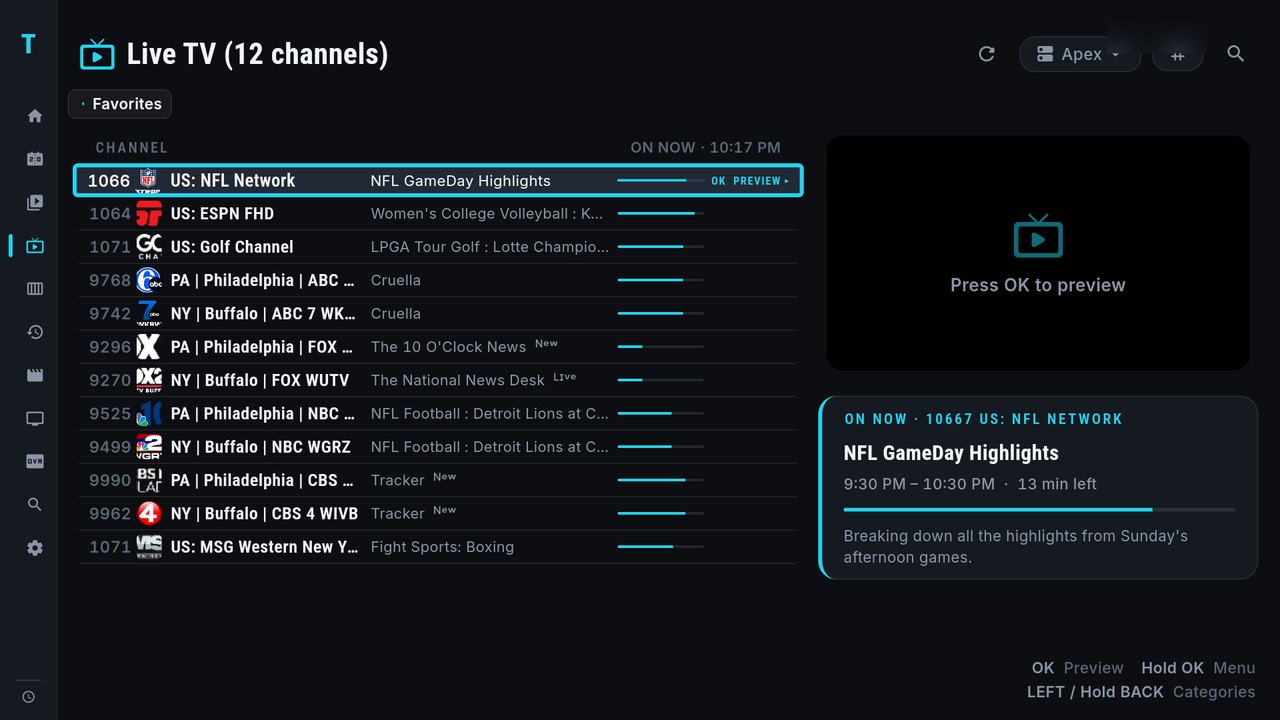
Most providers cap how many streams one login can play at once, often one or two. That cap is per login, not per app. If the stock app is still playing (or holding a stream in the background) when you start a channel in TIVRA, the second stream can be refused, and it looks like the channel is broken when it isn't.
- Stop playback in one app before watching in the other.
- If you share the login with another box in the house, that box counts too.
- Multi-View and recordings each use a stream as well. The Multi-View guide explains how screens from a second provider use that provider's own allowance.
If your remote has no PLAY button, hold OK opens TIVRA's menus instead, and typing a channel number jumps straight to it. More in remote shortcuts.
Frequently asked questions
Will installing TIVRA change my Formuler app?
No. TIVRA is a separate app. Installing it doesn't remove, update or change the settings of the stock app; both stay installed and you open whichever you want.
Can I use the same provider login in both apps?
Yes, add the same Xtream Codes, M3U or Stalker details. Just don't play in both at once if your provider allows only one connection per login.
Why does a channel fail in TIVRA but work in the stock app?
Most often the other app, or another device on the same login, is still using your provider's only connection. Stop playback there and try again.
Does TIVRA come with channels?
No. TIVRA is a media player; it plays the provider subscription or media library you already have.
Try TIVRA next to your stock app
7-day free trial, no card required. Your stock app stays exactly as it is.
Start Free Trial Get it on Google Play