What's New in TIVRA 3.4: Addons, Search and More
TIVRA 3.4 and 3.4.1 shipped close together, so here they are in one place. 3.4 made subscribing work from the TV and the phone, and made Multi-View and recordings much harder to knock over. 3.4.1 added Addons (beta), one Search across everything you watch, a new episode layout, two recordings at once, and a fix for the black-screen bug a lot of you reported.
Addons (beta)
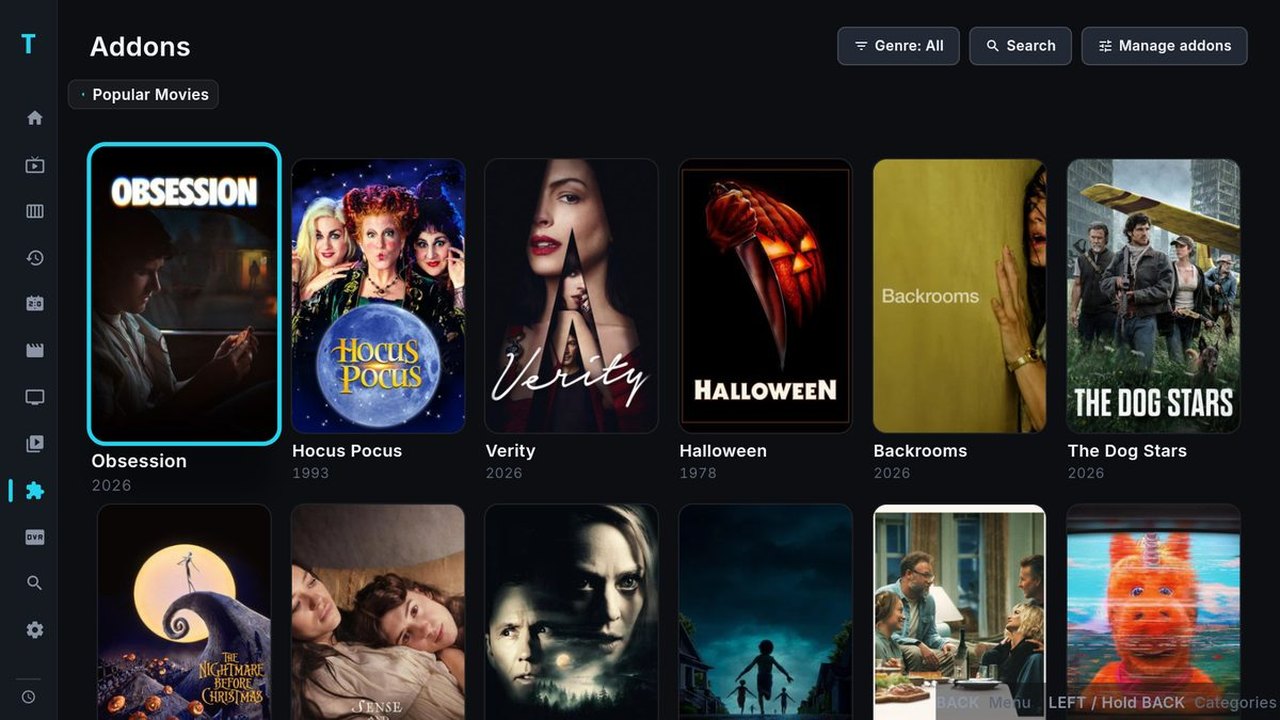
Paste an addon link and its catalogs show up in TIVRA. Movies, shows, even live channels an addon publishes, with real detail pages: poster, synopsis, cast, trailer, seasons and episodes on the left, the episode's details and its sources on the right. Pick a source and it plays in TIVRA's player with the same resume, subtitle and audio controls as everything else.
- Mark movies, episodes or whole seasons watched, and it syncs to Trakt and SIMKL.
- Addon results appear in the main Search next to your other content.
- TIVRA ships with no addons. You bring your own links: Settings › Addons, or paste one from your phone.
It's a beta. The core works, but addons are written by lots of different people and we're still smoothing out the odd ones. If something doesn't play, send a diagnostic from Settings › About and tell us which addon on Discord.
One Search for everything
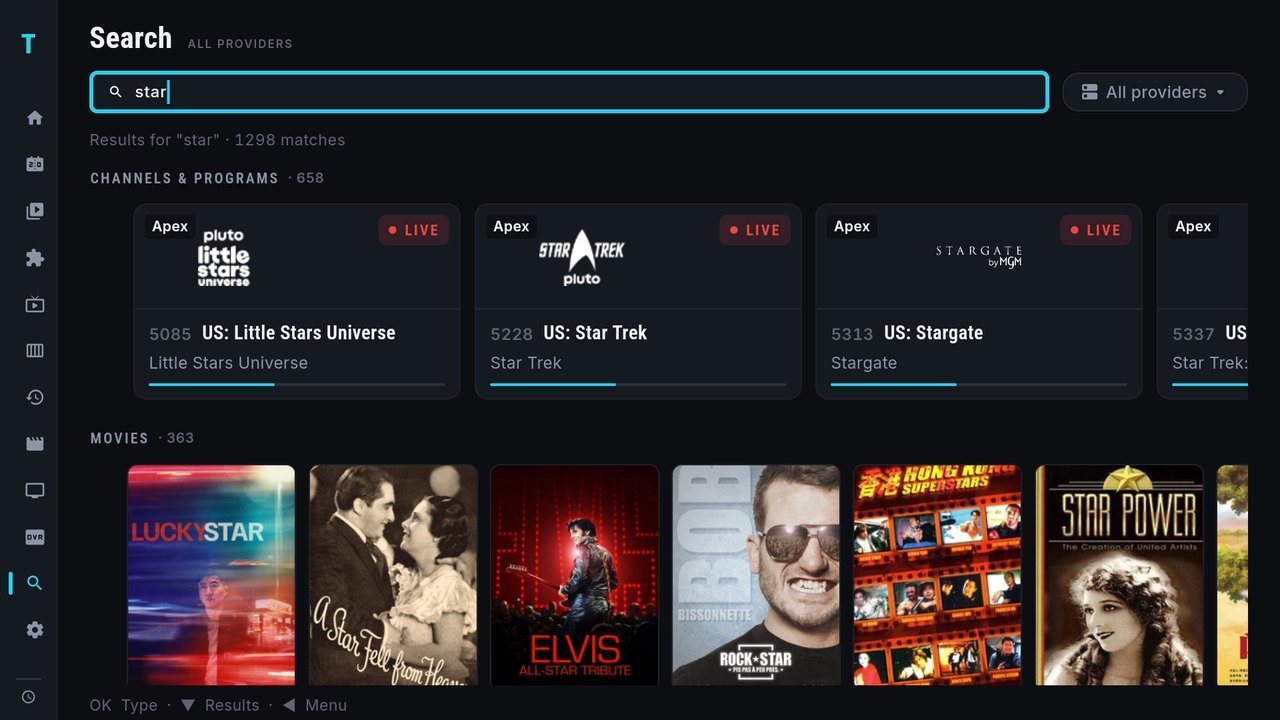
Type once. The Android keyboard pops up, and results come back in rows under the bar: channels and programmes (the same cards as Home, progress bar and all), movies, series, your library and addons. The Library page's search goes there too. Search also no longer says "Still preparing your catalog…" forever on live-only providers.
A new episode view
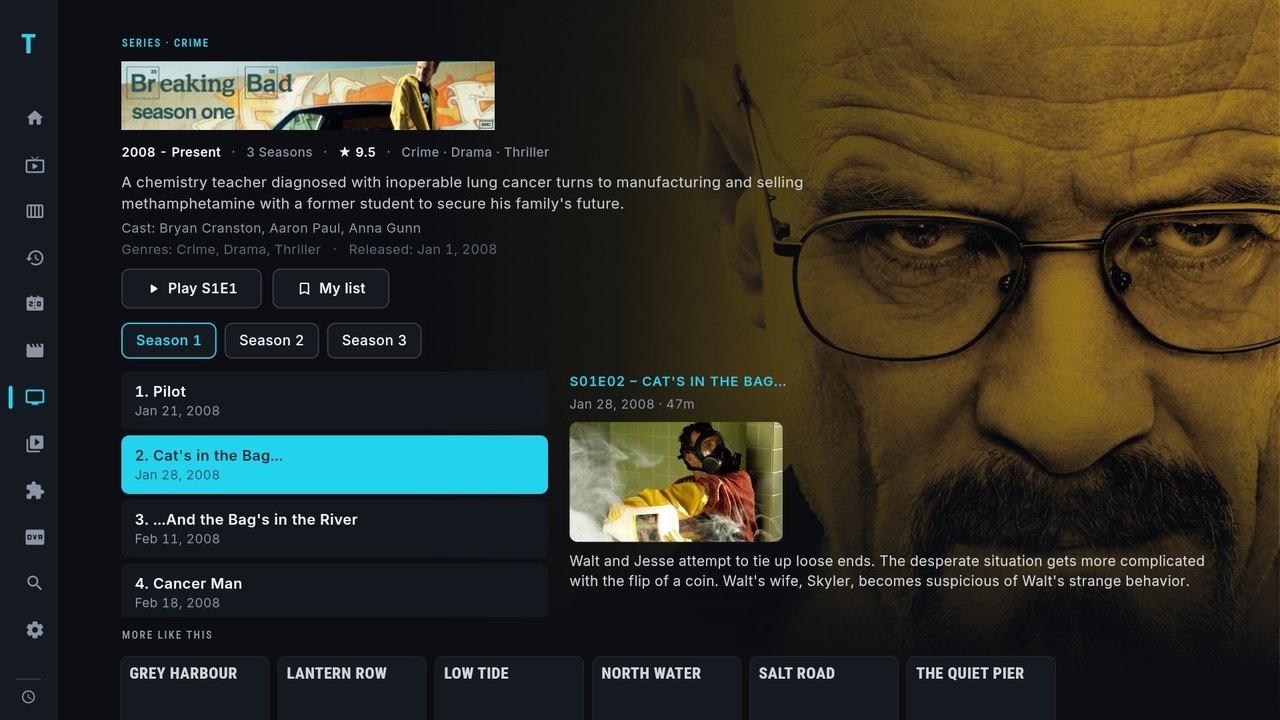
Series pages got the layout you asked for: season tabs, episodes down the left, and the selected episode on the right with air date, runtime, synopsis, a still when your provider has one, and where you left off. Shows from your Jellyfin, Emby, Silo or NAS library use the same layout. "More like this" peeks in below so you know it's there. More on libraries in Jellyfin, Emby and IPTV in one app.
Recordings: two at once, and through stream drops
- Record two things at once (3.4.1). A scheduled recording no longer gets skipped because another one is running. Walkthrough: record two IPTV channels at once.
- Recordings survive a stream drop (3.4). A scheduled recording that loses its stream reconnects and carries on in the same file instead of stopping early.
- The Recordings page refreshes by itself and keeps your place after Stop or Delete.
Multi-View that keeps itself running
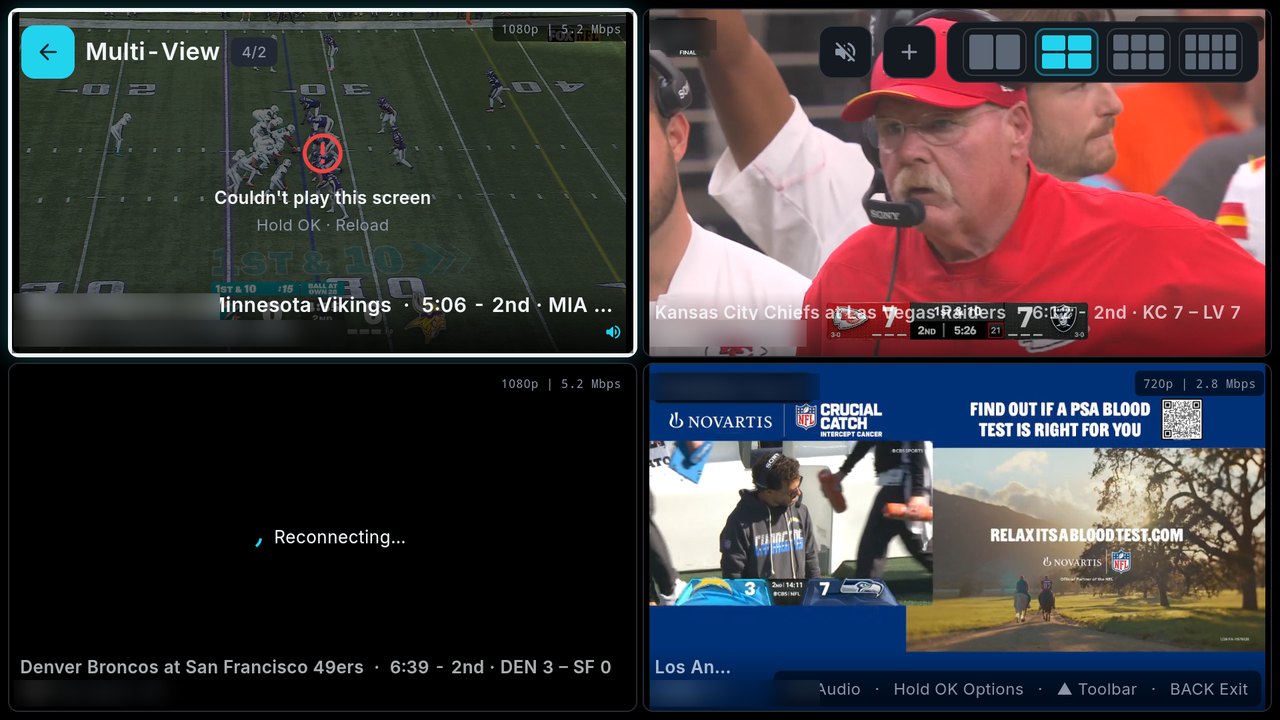
- Each tile reconnects by itself when its stream drops, and tiles follow your live stream format setting.
- When your provider's connection limit is reached, Multi-View now warns you instead of blocking you, with a "Don't show this again" option.
- The stray back arrow in the Multi-View top bar is gone.
Subscribing from your phone or your TV
- Checkout is fixed in the phone app. Subscribe opens the checkout directly on phones and tablets.
- Subscribe from your TV with a QR code. The TV shows a QR code; scan it with your phone and pay there. No camera handy? Go to
tivratv.com/payand type the six-character code from the screen. The TV unlocks by itself the moment payment goes through. - The subscribe screen says exactly what you're buying before you pay.
Every plan still starts with a 7-day free trial, no card required. Plans start from $2.49 a month, and a one-time Lifetime licence is available; see pricing.
Playback fixes
- "Fullscreen goes black but the preview keeps playing" is fixed. The app was over-reacting to Android's low-memory warnings. It also uses less memory now.
- Slow-starting streams get more patience: 45 seconds and a "Still waiting for your provider" message instead of a silent failure, and the player closes with a clear message on any error instead of leaving a black screen.
- The Classic player (used for stubborn files) gained Rewind, Forward, Next and a proper seek bar.
- VOD pauses when you leave the app, and foldables and split-screen behave.
Also in 3.4 and 3.4.1
- Continue Watching shows on Home right away, and shows you're watching from your Jellyfin or Emby library now appear there too.
- Refresh playlists (Settings › Providers): choose how often your channel lists refresh.
- Channel name prefixes (Edit provider): Auto hides prefixes like "USA |" or "[FR]" shared by a whole category.
- Jellyfin, Emby, Silo and NAS setup uses the Android keyboard, with bigger text; Library Refresh and Search are reachable with a single server.
- The first-run "Syncing provider catalog" screen clears by itself.
- Removing a provider no longer freezes the Status screen, and the activation-code screen on TV is bigger and easier to read.
- TIVRA now tells you when a newer version is available.
Catching up from further back? What's new in TIVRA 3.3 covers the Sports Hub scores overlay, catch-up, profiles and more.
How to update
Downloaded from tivratv.com: Settings › About › Check for updates, or open the Downloader app on your TV and enter 3059562. Installing over your current version keeps your account and settings. On Google Play, the update arrives after Google's review. Step-by-step help for every device: How to upgrade TIVRA.
As always, TIVRA is a player: you bring your own provider, library or addon links.
Frequently asked questions
Does TIVRA come with any addons?
No. TIVRA ships with no addons. You paste your own addon link in Settings, Addons, or from your phone. Addons are a beta feature.
Can TIVRA 3.4.1 record two channels at once?
Yes. A scheduled recording is no longer skipped because another one is running. Each recording uses one of your provider's connections.
How do I update to TIVRA 3.4.1?
On a sideloaded install, go to Settings, About, Check for updates. On Google Play, the update arrives after Google's review.
Get TIVRA 3.4.1
7-day free trial, no card required. Already installed? Settings › About › Check for updates.
Start Free Trial Get it on Google Play