Jellyfin, Emby and IPTV in One App on Android TV
If you run Jellyfin or Emby, or keep movies on a NAS, you probably also have a second app for live TV, and a habit of switching between them. TIVRA puts both in one place: your own library in the Library section, your IPTV provider in Live TV and the Guide, and one Continue Watching row and one Search across all of it. This guide covers connecting each kind of library and what you get once it's in.
Everything here is your own: your server, your files, your provider subscription. TIVRA is the player and doesn't supply content.
Connect your library
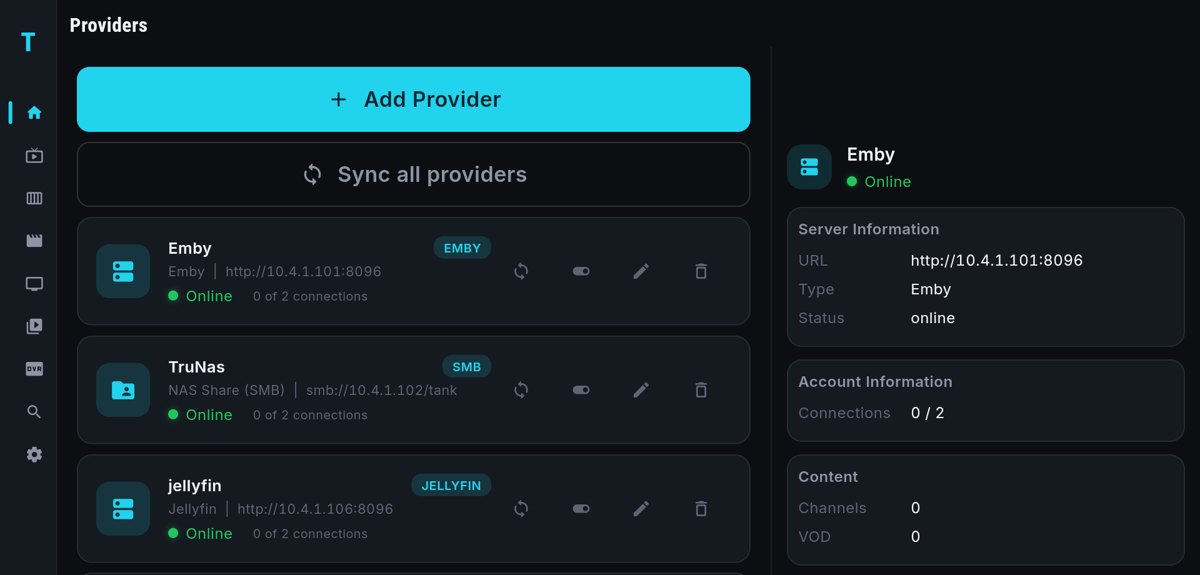
Libraries are added in the same place as your IPTV provider: Settings › Providers › Add Provider on the TV, or the Providers panel of the web dashboard on your phone, which syncs to the TV and saves typing with the remote.
- Jellyfin or Emby: the server URL with its port (for example
http://192.168.1.50:8096) and the username and password of an account on that server. TIVRA uses the server's own artwork and metadata, and since 3.3.5 it browses the library live from your server, so there is nothing to copy first and large libraries work. Full steps: Connect Jellyfin or Emby. - Silo is a named media-server option too.
- No media server? A NAS share works directly. Server, share name, an optional folder (movies and shows can point at separate folders) and a login with read access. TIVRA scans the files and matches posters, descriptions and cast from the names, so
Heat (1995).mkvandShow (2004)/Season 1/Show S01E01.mkvmatch best. Full steps: NAS library over SMB.
Since 3.4.1, setup for Jellyfin, Emby, Silo and NAS sources uses the Android keyboard with bigger text, and Library Refresh and Search are reachable even with a single server.
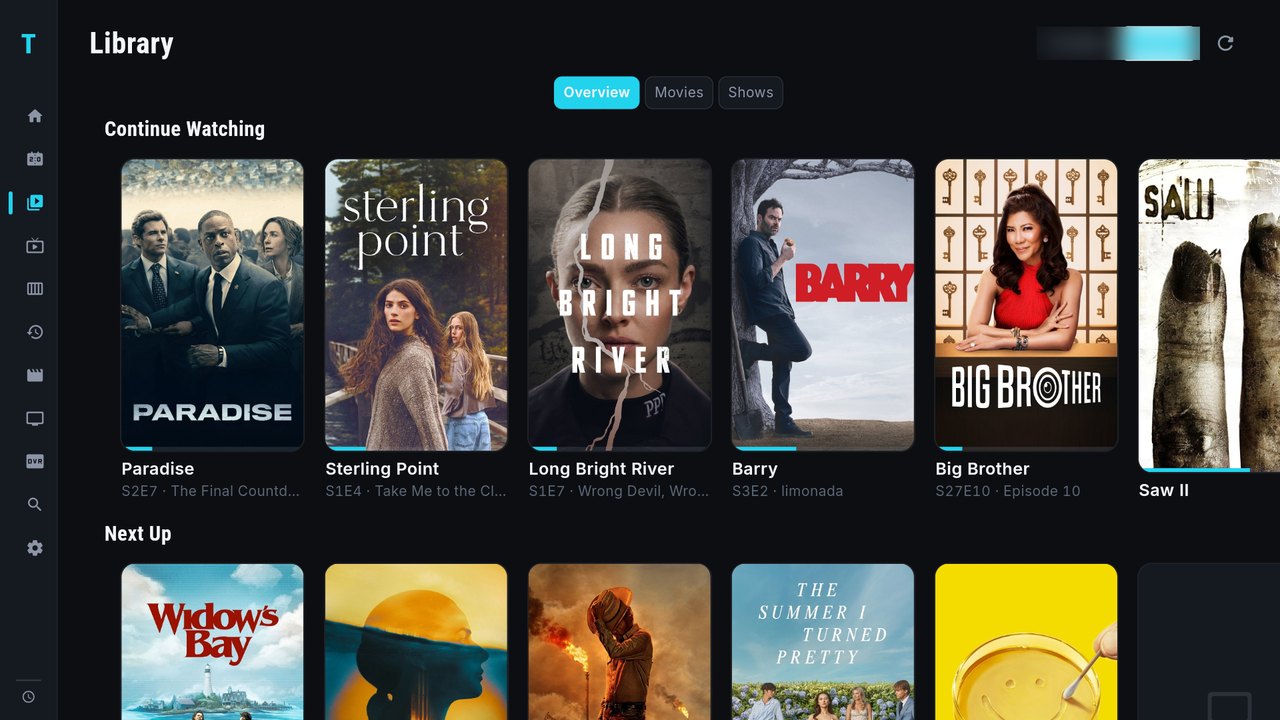
One Continue Watching, one Search
- Continue Watching on Home shows what you're part-way through, including shows you're watching from your Jellyfin or Emby library (since 3.4), next to movies and series from your provider.
- Resume both ways with your server. TIVRA reports playback back to Jellyfin or Emby, and updates the resume point while you watch. Pause in TIVRA and the spot shows up in your other Jellyfin or Emby apps; start an episode elsewhere and TIVRA picks it up.
- One Search (3.4.1). Type once and results come back in rows: channels and programmes, movies, series, your library, and addons if you use them. The Library page's search goes there too.
- Play on TV from the dashboard. Browse your library in the web dashboard and press Play on TV to start it on the television.
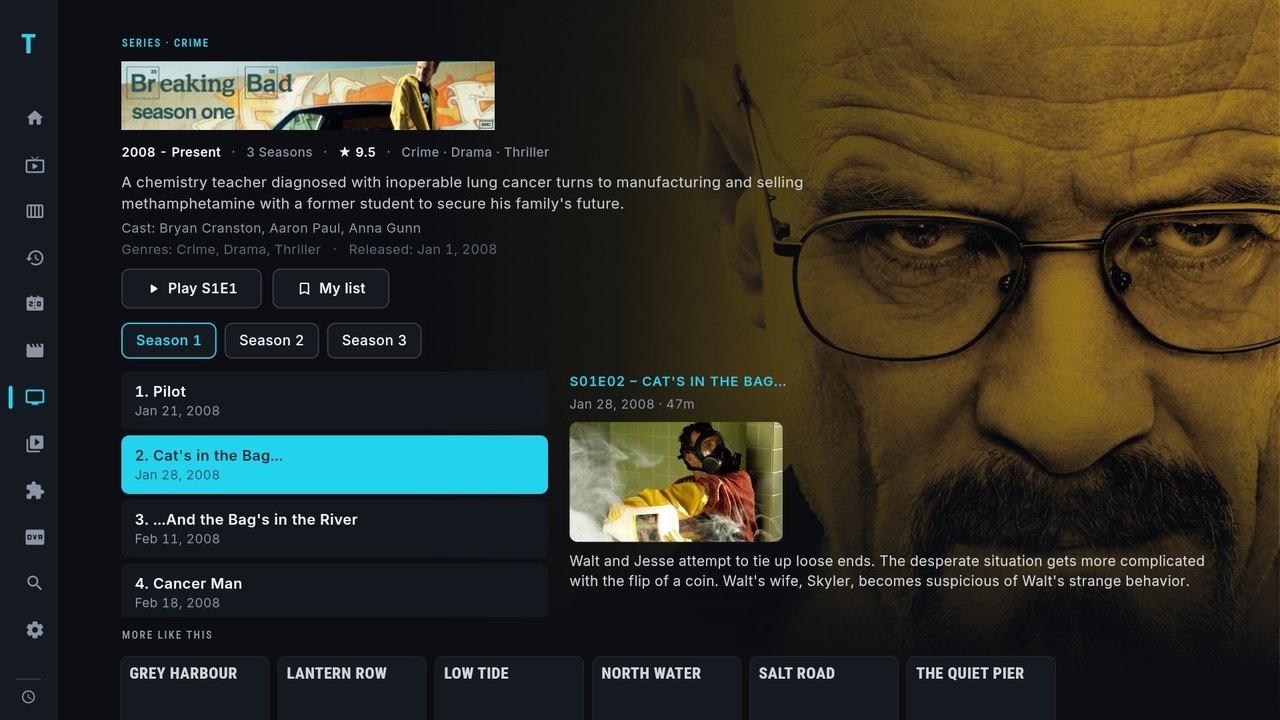
The new episode view
TIVRA 3.4.1 gave series a new layout, and library shows from Jellyfin, Emby, Silo or a NAS use the same one: season tabs, episodes down the left, and the selected episode on the right with air date, runtime, synopsis, a still when one exists, and where you left off. "More like this" peeks in underneath.
Trakt and SIMKL
Connect Trakt, SIMKL or both (SIMKL signs in with a PIN). Movies and episodes you watch are scrobbled, and you can mark episodes, seasons and movies watched or unwatched from the Library and detail pages; the marks go to every connected tracker and reach Jellyfin and Emby too. Series and library pages read watched episodes back from Trakt and SIMKL. With profiles, each person in the house has their own trackers and history.
Frequently asked questions
Can I watch Jellyfin and live IPTV in the same app?
Yes. Add the Jellyfin or Emby server under Settings, Providers, Add Provider. Your library appears in the Library section, while your IPTV provider stays in Live TV and the Guide.
Do I need a media server to play files from my NAS?
No. TIVRA can read movies and shows straight from an SMB share and match posters and descriptions from the file and folder names.
Does my Jellyfin resume point stay in sync?
Yes. TIVRA reports playback back to Jellyfin or Emby and updates the resume point while you watch, so other clients see where you stopped, and the other way round.
Does Search include my library?
Yes, from 3.4.1. One Search returns rows for channels and programmes, movies, series and your library.
Bring your library and your channels together
7-day free trial, no card required. Add your Jellyfin, Emby or NAS share from your phone.
Start Free Trial Get it on Google Play