Add Your NAS to the Library — SMB Local Media
If your movies and TV shows live on a NAS, TIVRA can read them straight off the network — no media server required. Point TIVRA at the SMB share, and your files show up in the app's Library section with automatic posters, artwork, descriptions, and cast, plus Continue Watching and Next Up rails and resume across devices.
Looking for recordings storage? This guide is about playing your own media library from a NAS. To make TIVRA record to a NAS, see the SMB recordings storage guide instead — that's a separate setting under Settings › Storage.
Before you start
- An SMB server on your local network — a NAS (Synology, QNAP, Asustor), or a Windows / macOS / Linux machine with file sharing enabled.
- The server's IP address or hostname — e.g.
192.168.1.50ornas.local. - The share name — e.g.
media. - A username + password with read access to the share.
Add the share
From the TV:
- Open Settings › Providers.
- Pick Add Provider, then choose the SMB / NAS source type.
- Fill in:
- Server — IP address or hostname.
192.168.1.50 - Share — the share name.
media - Folder (optional) — a folder inside the share, e.g.
movies. You can point movies and TV shows at separate folders — e.g. movies atmedia/moviesand shows atmedia/tv. - Username + Password.
- Server — IP address or hostname.
- Save. TIVRA scans the share and your titles appear in the Library with artwork.
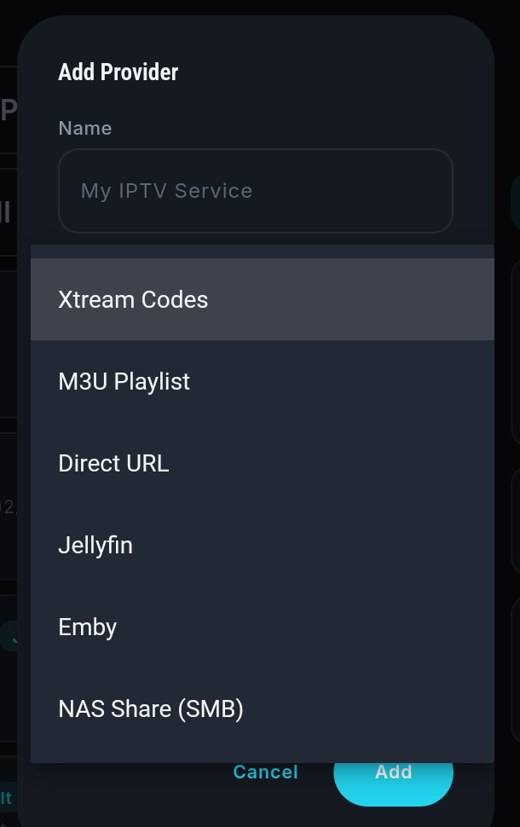
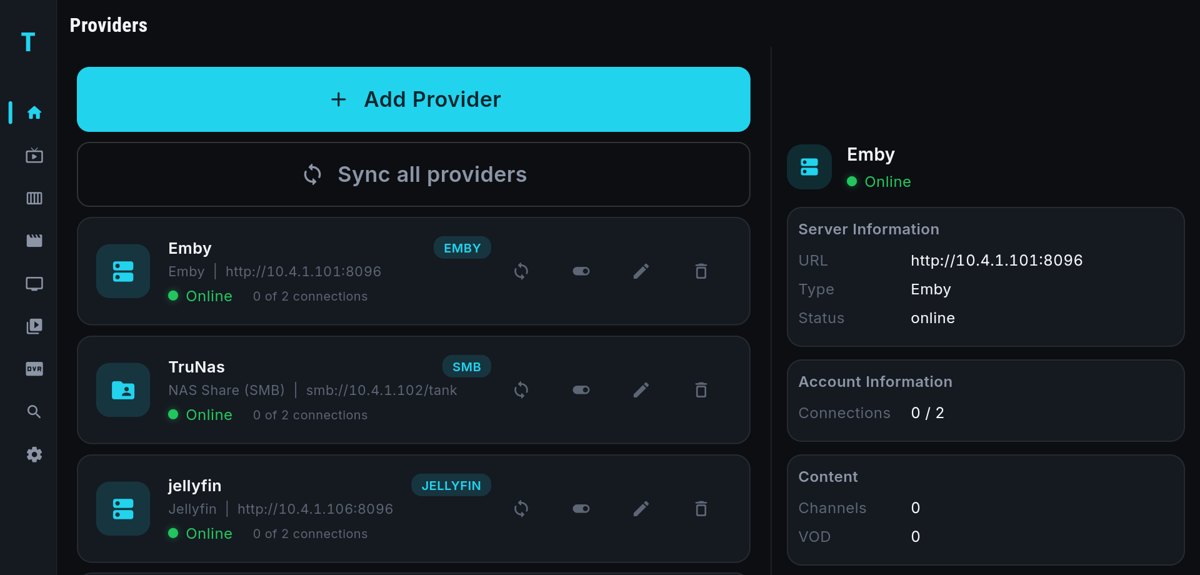
From the web dashboard: sign in to the dashboard, open the Providers panel, and add the SMB source there with the same fields — much easier than typing credentials with a remote. Changes sync to the TV automatically.
Name your files so matching works
TIVRA matches posters, descriptions, and cast based on your file and folder names. You'll get the best results with clean names that include the year:
Movies — one file per movie, named with title and year:
movies/
  The Iron Giant (1999).mkv
  Heat (1995).mp4
  Spirited Away (2001).mkv
TV shows — one folder per show (with year), season folders inside:
tv/
  Battlestar Galactica (2004)/
    Season 1/
      Battlestar Galactica S01E01.mkv
      Battlestar Galactica S01E02.mkv
    Season 2/
...- Include the year in parentheses — it disambiguates remakes and same-named titles.
- Avoid burying the title in tags — a name like
mv.rls.1080p.x265-GRP.mkvgives the matcher nothing to work with. - Keeping movies and shows in separate folders (and pointing each Library folder at the right one) keeps the scan clean.
Rescanning and refreshing metadata
Added new files to the NAS? Use Sync Library — either in the app, or with one click from the dashboard's Library panel — and TIVRA rescans the share and matches the new titles. The dashboard Library panel also lets you browse everything in the browser and Play on TV to start an item on your television.
Troubleshooting
"Authentication failed" when adding the share
- Username / password typo — re-enter them, or edit the source from the web dashboard with a real keyboard.
- The user doesn't have permission on that share (common on Synology — grant the user read access to the shared folder).
- Some servers want a domain prefix — try
WORKGROUP\\yournameas the username.
Can't reach the server
- Wrong IP/hostname, or the server is off.
- SMB service not enabled on the NAS, or a firewall blocking port 445.
The scan finds nothing (empty library)
- Check the folder field — if it points at the wrong folder (or a folder that only contains other folders of non-media files), the scan comes back empty. Point it directly at the folder that holds your movies or shows.
- Confirm the share and folder names are spelled exactly right —
media/Moviesandmedia/moviesmay be different folders on some servers. - Make sure the user you connected with can actually read those folders, not just the share root.
Titles show up without posters or with the wrong match
- Rename the file or folder to the clean
Title (Year)form and run Sync Library again. - For shows, make sure episodes sit under a show folder with the show's name — loose episode files can't be matched to a series.
Don't have TIVRA yet?
Download the Android TV APK — free 7-day trial, no card required.
Download TIVRA