IPTV Player for the onn 4K Streaming Box: Setup
The onn 4K boxes are some of the cheapest ways to get Google TV on a television, and they run TIVRA the same way any other Google TV device does. This guide covers installing TIVRA on an onn 4K, 4K Pro or 4K Plus, signing in without typing a password on the remote, adding your own provider, and the handful of settings that make a budget box feel quick.
One thing first: TIVRA is a player. It does not come with channels. You bring your own provider subscription (Xtream Codes, an M3U playlist or a Stalker portal) or your own library, and TIVRA plays it.
Install TIVRA on an onn box
There are two ways in, and they install the same app. Both versions are signed with the same key, so you can switch later without losing anything.
Option A: Google Play
- Open the Google Play Store on the onn box.
- Search for TIVRA and install it.
- Play updates it in the background from then on.
Play gets each release after Google's review, so it is often one version behind the website.
Option B: Downloader (always the newest version)
- Install the Downloader app from the Google Play Store on the box.
- Open Downloader and enter the code 3059562 (or the address
tivratv.com/downloads/tivra-latest.apk). - If the box asks, allow Downloader to install unknown apps: Settings › Apps › Security & restrictions › Unknown sources, then turn on Downloader.
- Press Install, then Open. You can delete the downloaded file afterwards to free space.
The website download is one universal file that works on every device, so there is no version to pick. If the install fails with "App not installed", the box is usually short on storage: the installer needs room for the download and the unpacked app. Clear some space and try again. The upgrade guide covers both routes in more detail.
Sign in and add your provider
- Create an account at tivratv.com/signup. Every plan starts with a 7-day free trial, no card required.
- Open TIVRA on the TV. It shows a short code. On your phone, open
tivratv.com/pair, sign in, and enter the code. The TV signs in by itself. - Add your provider. On the TV: Settings › Providers › Add Provider. Easier: sign in to the web dashboard on your phone, open Providers and add it there with a real keyboard. It syncs to the TV automatically.
- Let it sync. The Status tab shows each provider's playlist and guide as they update. For most providers the guide comes from TIVRA, so there is no big guide download on the box.
Not sure which login type you have? Xtream Codes vs M3U explains the difference, and the M3U setup guide walks through a playlist link.
Getting the most out of a budget box
An inexpensive box has less memory and storage than a high-end streamer. A few things in TIVRA help here:
- A lighter guide. For most providers the guide is served by TIVRA, small and fast, and you can set an overnight sync time so it refreshes while the box sleeps.
- Lower memory use in 3.4.1. 3.4.1 fixed a bug where fullscreen went black while the preview kept playing (the app was over-reacting to Android's low-memory warnings) and uses less memory overall.
- Multi-View that is easier on the hardware. Each tile is capped at 720p and muted tiles don't decode audio. Start with two screens and see how your box and connection handle it; the Multi-View guide has the controls.
- Recordings off the internal storage. Built-in storage on these boxes is small. If your model has a USB port, record to a drive formatted as portable storage; otherwise a NAS share works over the network. See recording to USB or NAS.
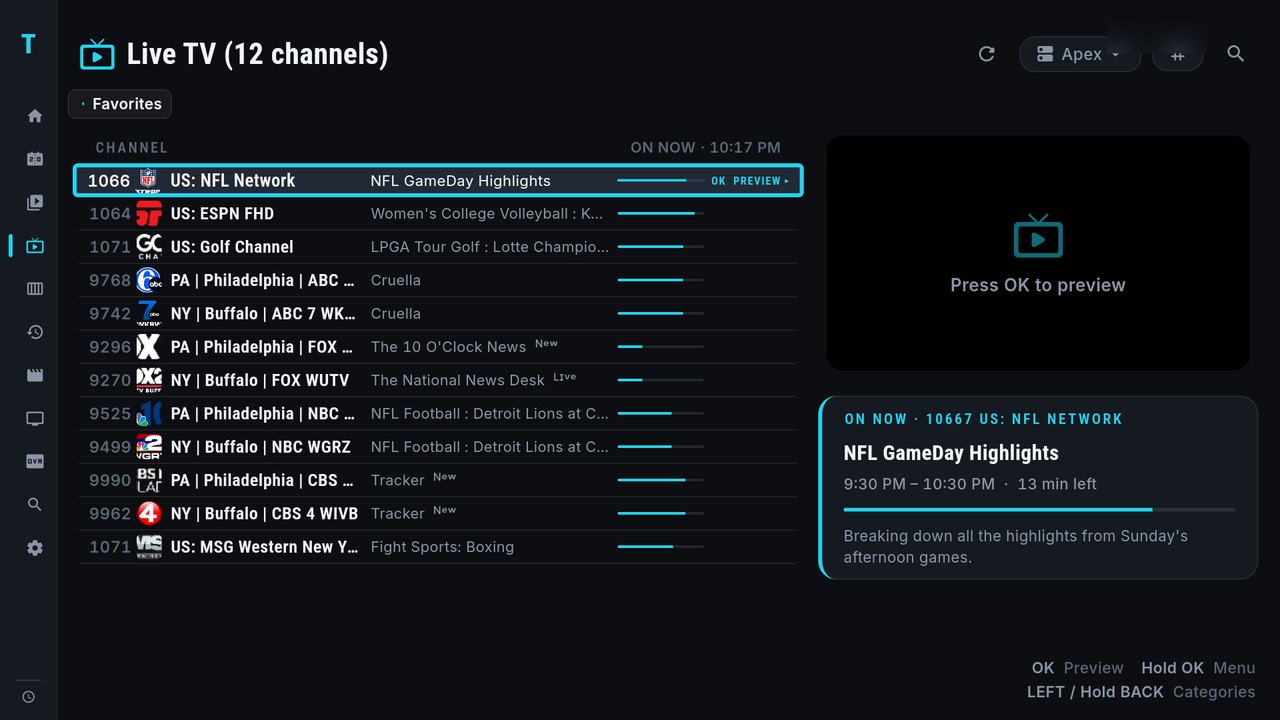
- Preview before playing. Turn it on under Settings › Playback: OK previews a channel in the side pane, OK again goes full screen.
A few remote habits save a lot of scrolling: tap RIGHT while watching to flip back to the last channel, hold RIGHT for your last 10 channels, and type a channel number to jump straight to it. If your remote has no PLAY button, hold OK opens the menus that PLAY would. More in Android TV remote shortcuts.
Frequently asked questions
Does TIVRA work on the onn 4K Pro and onn 4K Plus?
They run Google TV, and TIVRA installs on them the same way as on any Google TV device: from the Google Play Store, or with the Downloader app and the code 3059562. The website download is one universal file for every device.
Does TIVRA come with channels?
No. TIVRA is a player. You add your own provider subscription (Xtream Codes, M3U or a Stalker portal) or your own Jellyfin, Emby or NAS library, and TIVRA plays it.
How do I update TIVRA on an onn box?
A Play install updates itself after Google's review. A sideloaded install updates from Settings › About › Check for updates; installing over the old version keeps your account and settings.
How much does TIVRA cost?
Every plan starts with a 7-day free trial with no card required. Plans start from $2.49 a month, and a one-time Lifetime licence is available.
Put TIVRA on your onn box
7-day free trial, no card required. Add your own provider from your phone and you are watching in minutes.
Start Free Trial Get it on Google Play