Live Scores and Box Scores While You Watch TV
The classic game-night problem: you are watching one game and want to know what is happening in the other three, without grabbing your phone. TIVRA puts today's scores on the TV, over the game you are watching, and the full box score one button away. This guide covers the scores overlay in the player, the box score and stats sheet, starring games, following your teams, and putting several games on screen at once.
Scores and stats come with TIVRA. The games themselves play from your own provider's channels; TIVRA doesn't supply any.
The scores overlay in the player
While a channel plays full screen with the controls hidden, hold DOWN. A strip of game cards opens along the bottom of the picture, one sport at a time. If you prefer buttons: press OK to show the controls, move RIGHT to Scores at the end of the row, and press OK.
- UP / DOWN flip to the previous or next sport. The header names the leagues playing today and how many games are live.
- LEFT / RIGHT move between games. The card for the game you are on says you are here.
- OK on a card switches the player to that game's channel behind the overlay. The overlay stays open, so you can check another game before you settle.
- LEFT on the first card reaches a Live / All switch: Live skips sports with nothing on right now.
- BACK closes the overlay; BACK again leaves the player.
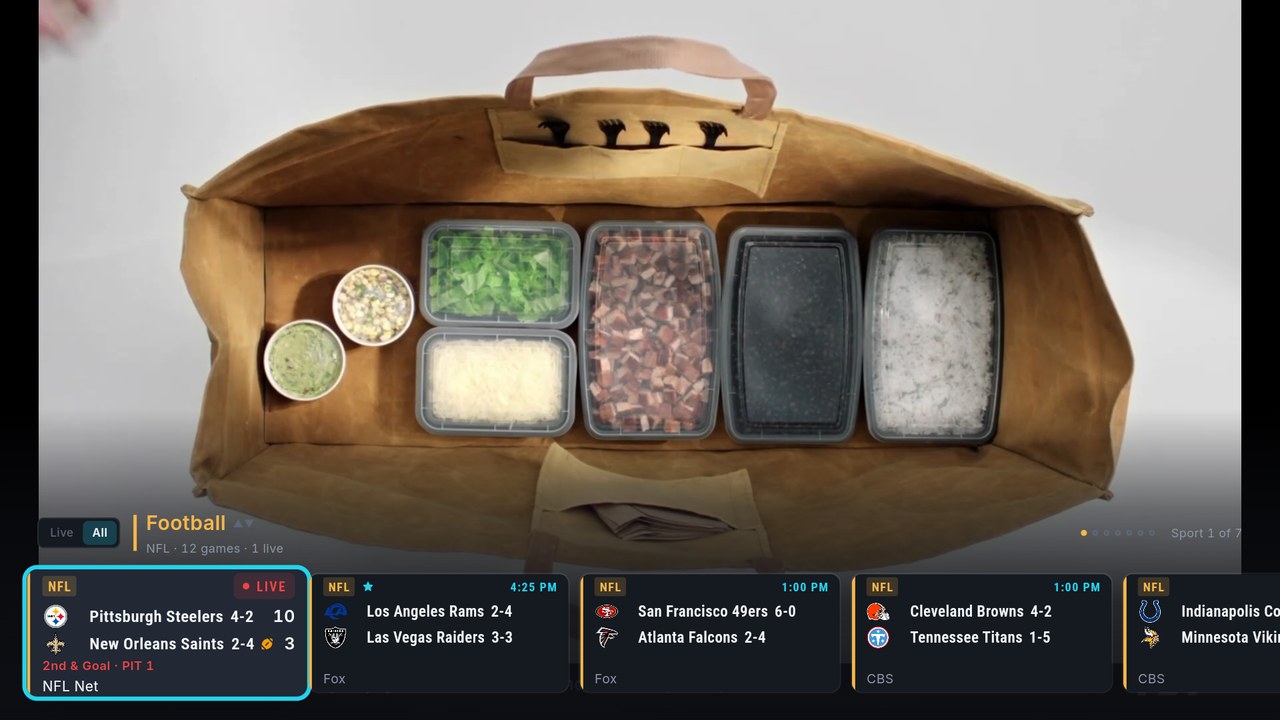
Live cards carry more than the score. Football shows who has the ball and the down and distance (in red inside the 20); baseball shows the count, outs and runners; soccer the last goal and any red cards; basketball and hockey the last play. Upcoming games can show the spread and over/under, which you can turn off under Settings › Sports › Betting lines. Watching on delay? Settings › Sports › Hide scores replaces scores with dashes until you reveal a game.
Box score and stats
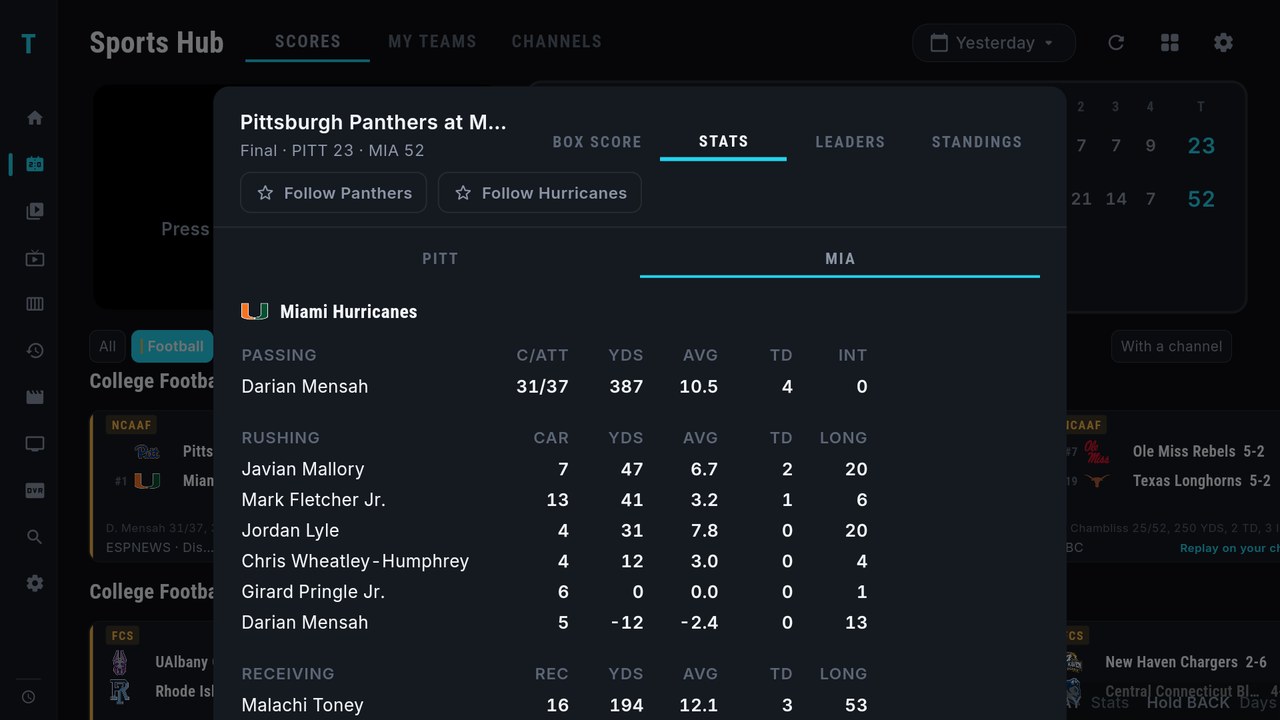
Hold OK on any game card, in the Sports Hub or in the overlay, and pick Box score & stats. On a remote with a PLAY button, PLAY on a card opens it directly. The sheet has four tabs, BOX SCORE, STATS, LEADERS and STANDINGS; LEFT and RIGHT move between them and BACK closes it.
The same Hold OK menu also lists every channel on your providers carrying that game, grouped by provider, so the box score and the "where is it on" question live in one place. While you're watching a game, hold OK to open Sources and switch to another channel carrying the same match without leaving it.
Star tonight's games
Hold OK on a game and choose Star this game (press UP to reach it at the top of the menu). Starred games jump to the front of their row in the Sports Hub and get their own Starred page at the start of the overlay, so the three or four games you care about tonight are always first. Stars last for the day; hold OK again and choose Unstar to drop one.
My Teams
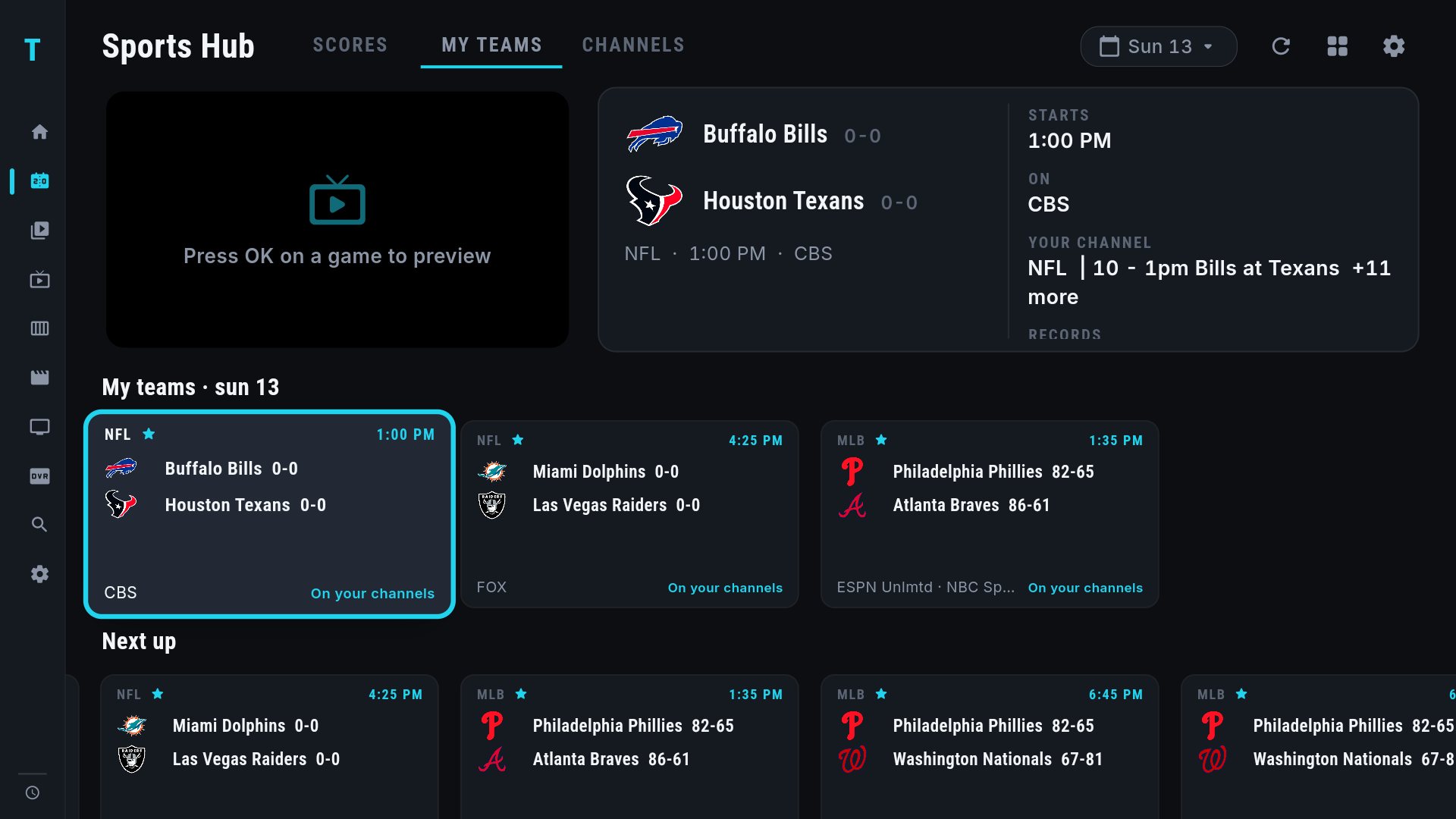
Follow a team in Settings › Sports › Favorite teams (one tab per league, OK to switch a team on), or with the Follow button for each team in a game's stats sheet. Followed teams get a star on their cards, and the MY TEAMS tab in the Sports Hub shows their games, with a Next up row for the coming days.
More than one game on screen
The Multi-View button (four squares) at the top of the Sports Hub opens your saved views, Games in progress (up to four live games side by side) and Manage views. In Multi-View, OK on a screen moves the sound to it. How many games you can actually open depends on your provider's connection allowance. Walkthrough: watch four games at once, and the Multi-View help page.
Everything here is covered key by key in the Sports Hub help page, and the longer story is in the Sports Hub guide.
Frequently asked questions
How do I see other scores without leaving the game?
Hold DOWN while the game plays full screen with the controls hidden. The scores overlay opens over the picture; UP and DOWN change sport, LEFT and RIGHT move between games, BACK closes it.
My remote has no PLAY button. How do I open the box score?
Hold OK on the game card and choose Box score and stats. It works the same in the Sports Hub and in the scores overlay.
Can I hide scores so I don't see spoilers?
Yes. Turn on Settings, Sports, Hide scores. Cards show dashes instead of scores until you press OK on a game to reveal it.
Does TIVRA show the game itself?
TIVRA shows scores and stats and finds which of your own provider's channels carry the game. The video comes from your provider; TIVRA doesn't supply channels.
Keep the scores on screen
7-day free trial, no card required. Add your own provider and open the Sports Hub.
Start Free Trial Get it on Google Play