How to Watch the Champions League with IPTV (2026): Every Match on Tuesday and Wednesday
Champions League nights are a scheduling puzzle: up to eight matches kicking off at the same time, and your broadcaster's main channel showing one. Providers solve it with numbered channels and event feeds. This guide covers who carries the competition in 2026, how the simultaneous games appear in a lineup, and how TIVRA resolves every match to a feed and opens four of them in one press.
TIVRA is a player, not a provider: it finds and plays the Champions League feeds your own IPTV provider already carries. Which of the networks below you have depends on that provider. This guide is about knowing where to look, and letting the app look for you.
Which channels carry Champions League games
Rights move between broadcasters, so treat this as the 2026 picture and check the current holder for your country. The season runs September to May, Tuesday and Wednesday nights.
United Kingdom and Ireland
TNT Sports carries every match, with Prime Video showing one Tuesday game. Look for "UK: TNT Sports 1-4" and the TNT Sports Ultimate feed; the simultaneous games each get their own TNT channel number.
United States
Paramount+ streams every match, with selected games on CBS and CBS Sports Network; Univision and TUDN carry Spanish-language coverage. Providers carry "US: CBS Sports Network", "US: TUDN" and Paramount-exclusive matches as event channels.
Canada
DAZN carries every match. Providers carry DAZN feeds as event channels or the UK and US feeds.
Europe
DAZN, Canal+, Sky Germany, Sky Italia, Movistar and others carry the competition by country; providers carry many of these, often one channel per simultaneous match.
Australia
Stan Sport carries every match. Providers usually carry the UK feeds.
How the games show up in an IPTV lineup
The Champions League problem is simultaneity: up to eight matches at 8pm UK time, and your broadcaster's main channel shows one. Providers solve it with numbered channels (TNT Sports 1 to 4, DAZN 1 to 8) and event channels named after the tie. TIVRA matches each fixture to whichever feed carries it, so all eight cards resolve, and Hold OK lets you choose a commentary language when several match.
Doing it by hand: find the game's broadcaster, search your channel list for that network with the right region prefix, check the guide for the team names, then scan any event channels named after the league. Our finding the game guide walks through it for any player.
Following the Champions League in TIVRA
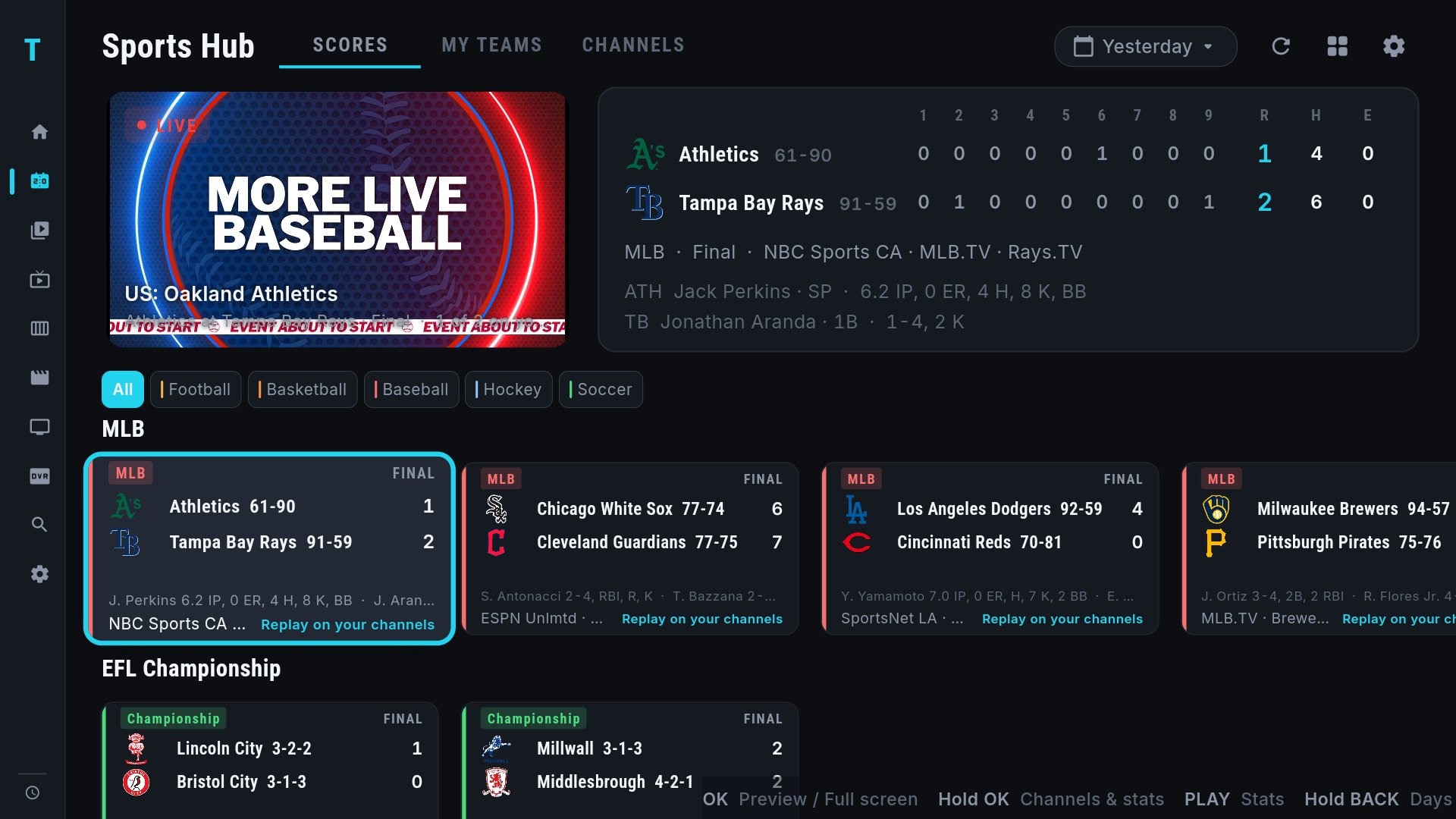
- The Champions League row is on by default for UK, European, US and Mexican accounts; enable it elsewhere in Settings › Sports › Sports rows.
- Cards show the score, minute and channel. Hold OK for every feed carrying the match, the match stats and the standings.
- Follow your club under My Teams; on a match night its game leads the row and fills a Multi-View slot.
- Match night: a saved view of "Next Champions League game" × 4 opens four of the simultaneous kick-offs in one press. See how to watch four games at once.
- The Europa League and Conference League have their own rows for Thursday nights.
For the full walkthrough see the Sports Hub guide, and for how the league compares with others in the app, the best IPTV apps for sports roundup.
Frequently asked questions
Which channels show Champions League matches?
TNT Sports in the UK, Paramount+, CBS Sports Network and TUDN in the US, DAZN in Canada and much of Europe, Canal+, Sky and Movistar by country, Stan Sport in Australia. Providers carry these as numbered channels and event channels.
How do I watch the simultaneous 8pm Champions League games?
Providers put each match on its own numbered or event channel. TIVRA resolves every card to its feed and a four-screen Multi-View opens four at once.
Does TIVRA show Champions League scores and tables?
Yes. Live score and minute on each card, with match stats and the league-phase standings behind Hold OK.
Can I choose the commentary language?
When several feeds carry a match, Hold OK on the card lists them all with the provider and network; pick the one you want and TIVRA remembers it for that match.
See today's Champions League games on your channels
Free trial, no card required. Add your provider from your phone and open the Sports Hub.
Start Free Trial Get it on Google Play